- Developer
- Roblox Corporation
- Installs
- 1B+
- Downloads
- 0
- Views
- 1
- Updated
- Nov 6, 2026
Screenshots
About Roblox
Roblox Complete Guide: How the Platform Works, Popular Games, Robux, Roblox Plus, Safety Settings and Parental Controls
Roblox is home to every kind of game, for every kind of player. Compete in high-octane racing games, battle it out in tactical shooters, test your survival skills in unpredictable environments, build empires in tycoons, or dive into horror, anime and sports games with friends worldwide. It is free to play, available on mobile, tablet, PC, console and VR, and it is constantly evolving with new experiences built by a global community of professional studios, indie teams and solo creators.
The single most important thing to understand about Roblox is that it is not a game. It is a platform — an ecosystem of thousands of individual games, called experiences, made by other users rather than by Roblox itself. That distinction explains almost everything about how it feels to use: the quality varies enormously between experiences, the genres are wildly different, and the age-appropriateness of any given game depends entirely on which one you open.
This guide explains how the platform is actually structured, what the most popular experiences are and what they involve, how avatars and the Marketplace work, what Robux is and how it is used, what Roblox Plus adds, how cross-platform play and Parties function, how voice chat and age verification work, what Roblox Studio is for creators, and — most importantly — how the safety and parental controls work and what parents should actually configure. It is written for new players and for parents trying to understand what their child is using.
Roblox at a Glance
| Feature | Details |
|---|---|
| Type | Platform hosting thousands of user-created 3D games ("experiences") |
| Developer | Roblox Corporation |
| Cost | Free to play with optional purchases |
| Currency | Robux — used for avatar items, game passes and subscriptions |
| Subscription | Roblox Plus (optional) |
| Platforms | Mobile, tablet, PC, console and VR headsets |
| Creation tool | Roblox Studio (Windows and Mac) |
| Popular experiences | Dress to Impress, RIVALS, Steal a Brainrot, Brookhaven RP, Adopt Me! and many more |
| Chat | Text and voice, with age verification required for voice chat |
| Safety | Content filtering, moderation, age-verified spaces, Roblox Kids and Select Accounts |
| Connection | Network connection required; works best over Wi-Fi |
How the Platform Actually Works
Experiences, Not Games
Roblox calls its games "experiences," and the terminology matters. Each experience is a self-contained game with its own rules, controls, progression and quality. Some are polished productions from professional studios; others are experiments from solo creators. Some are designed for young children; others are aimed at teenagers and adults.
This means the Roblox experience is not consistent. Someone who tells you "Roblox is great" and someone who tells you "Roblox is full of low-quality games" can both be describing the same platform, because they played different experiences.
The Three Layers
| Layer | What It Is |
|---|---|
| The platform | Roblox itself — accounts, avatar system, chat, safety tools, Marketplace, Robux |
| The experiences | Individual games made by the community, playable for free |
| The creation tools | Roblox Studio — where developers build experiences and publish them |
Most parents and new players only ever interact with the first two layers. The third layer is where creators work, and it is genuinely accessible — Roblox Studio is free and used by solo creators as well as professional studios.
Finding Experiences
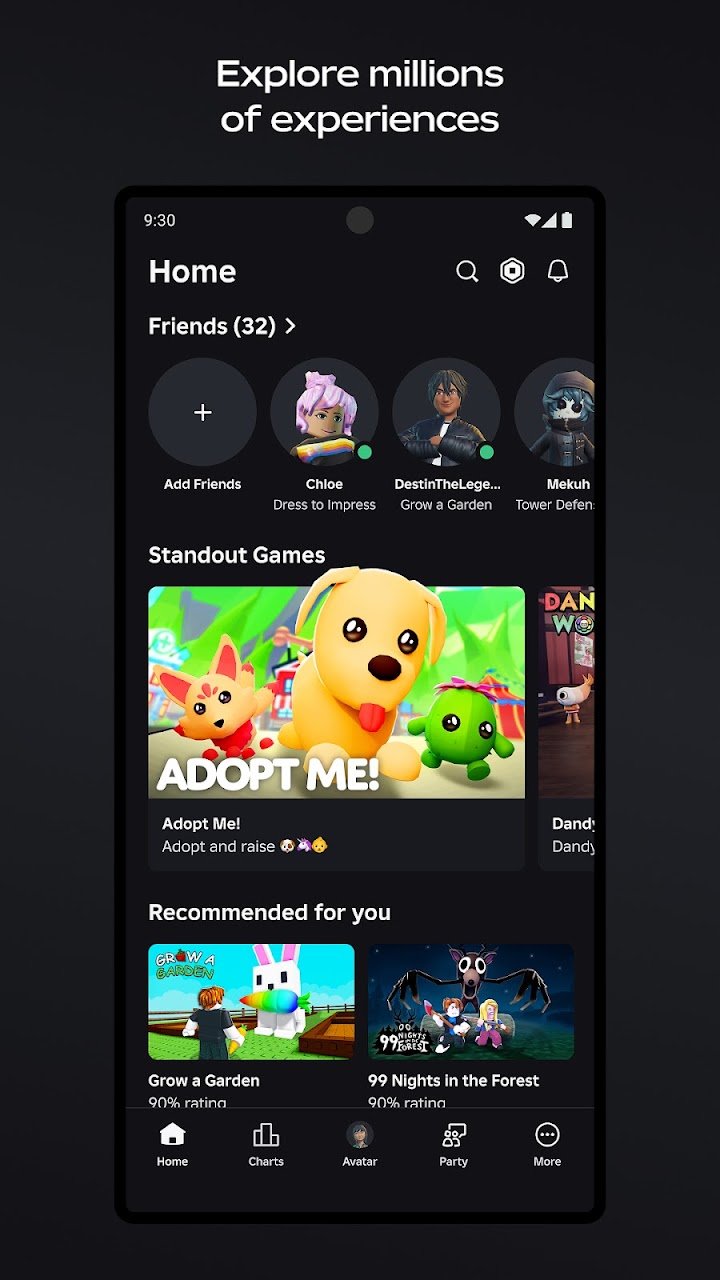
Experiences are discovered through the app's home page, trending lists, categories, search and recommendations. Because new content is added daily, the front page changes constantly, and the most popular experiences shift over time.
Practical advice: do not rely solely on the front page. Searching by genre — tycoon, obby (obstacle course), roleplay, horror, racing — produces far better results than browsing whatever is currently trending, which is often dominated by a small number of very popular experiences.
Popular Experiences and What They Involve
Roblox highlights several of its most popular games, and knowing what they actually are helps set expectations — for players choosing where to start and for parents assessing what their child is playing.
| Experience | What It Is | Notes |
|---|---|---|
| Dress to Impress | Fashion and styling game where players compete on outfits | Popular with younger players; social and creative |
| RIVALS | Fast-paced competitive shooter | Action-focused; check age-appropriateness |
| Steal a Brainrot | Trend-driven competitive experience | Reflects the viral side of the platform |
| Brookhaven RP | Roleplay set in a suburban town | Social and narrative; heavily chat-based |
| Adopt Me! | Pet collection and trading game | Long-running and very popular with children |
What these have in common: they are all social. Roblox's most popular experiences are not primarily single-player games — they are spaces where players interact with each other. That is central to the platform's appeal and also central to why parental controls matter.
Genres Available
Roblox covers a very wide range of genres, and the breadth is one of its genuine strengths.
| Genre | Typical Experiences |
|---|---|
| Racing | Competitive racing games with vehicles and tracks |
| Tactical shooters | Team-based combat experiences |
| Survival | Environmental challenges and crafting |
| RPGs | Immersive adventures with progression systems |
| Tycoons | Business and empire-building simulations |
| Horror | Scary experiences, sometimes with jump scares |
| Anime and sports | Genre-themed experiences with competitive or social structures |
| Roleplay | Social simulations such as town and lifestyle experiences |
| Obby (obstacle course) | Platforming challenges built around precision jumping |
Important for parents: the genre variety means the platform as a whole cannot be rated by content. A horror experience and a pet-collecting experience sit in the same app. The safety tools exist to manage that, but they are not automatic.
Avatars and the Marketplace
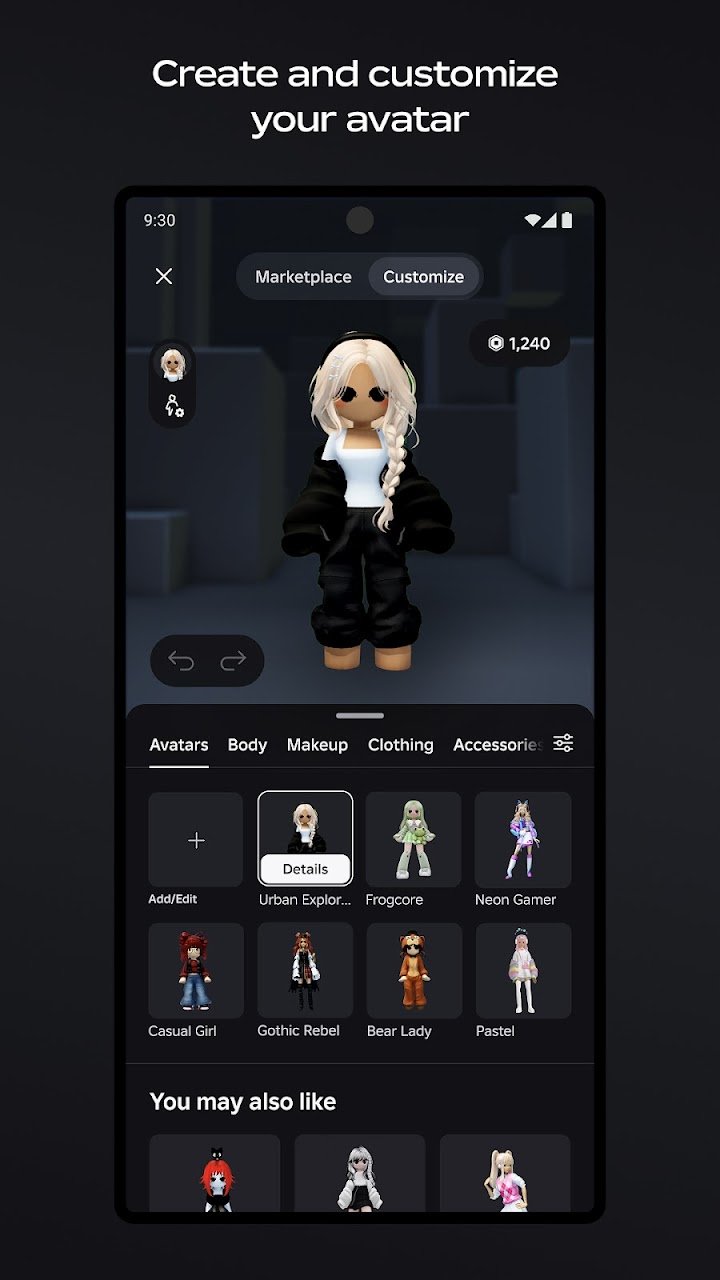
Your avatar is your identity on Roblox. You customise it with detailed clothing, accessories and dynamic hairstyles, and you can discover thousands of user-created 3D avatar items in the Marketplace.
| Customisation Area | What It Covers |
|---|---|
| Clothing | Shirts, trousers, dresses, outfits |
| Accessories | Hats, glasses, back items, jewellery |
| Hair | Dynamic hairstyles and colour options |
| Emotes | Animations your avatar can perform |
| Body and face | Basic avatar shape and facial customisation |
| Marketplace items | User-created items, many of which cost Robux |
Free versus paid items: many avatar items are free, and many cost Robux. The distinction is not always obvious to younger players, and the Marketplace is one of the main places where Robux is spent. If a child is using Roblox with a linked payment method, the Marketplace is where accidental spending is most likely to occur.
Practical advice for parents: review the avatar inventory occasionally and check purchase history in your platform's app store account. Many parents set up Roblox without a stored payment method, which makes the Marketplace effectively free-items-only by default.
Robux: The Platform Currency
Robux is Roblox's in-game currency. It is used for avatar items, game passes, private servers and subscriptions.
| How Robux Is Earned or Obtained | Notes |
|---|---|
| Purchased directly | The most common route; bought through the app or website |
| Roblox Plus subscription | Subscriptions typically include a monthly Robux allowance |
| Creating and selling content | Creators earn Robux from their experiences and Marketplace items |
| Promotional events | Occasional in-platform rewards |
The important point about Robux: it is the primary monetisation of the platform, and it is spent inside individual experiences as well as in the Marketplace. Game passes — one-off purchases that unlock features within a specific experience — are how many creators earn money.
Practical advice: if you are setting up an account for a child, decide deliberately whether a payment method is attached. An account with no stored payment method cannot spend real money, which removes an entire category of concern. Robux can be added later as a gift or a deliberate purchase.
Roblox Plus: What the Subscription Adds
Roblox Plus is the platform's optional subscription. It adds benefits that are useful for regular players and creators, and it is not required to use the platform.
| Roblox Plus Benefit | What It Means in Practice |
|---|---|
| Up to 20% discounts on in-game items | Lower Robux prices within experiences that support it |
| Fee-free Robux transfers | Useful for creators and for players moving Robux between accounts |
| Distinct profile badge | A visible indicator that you are a Plus subscriber |
| Free, unlimited private servers | Host private servers for friends without paying per server |
| Publish, trade and resell custom avatar creations | Creator-focused: sell your own Marketplace items |
Is it worth it? For most casual players, no. The subscription is most valuable if you regularly buy items inside experiences, if you want private servers for playing with friends, or if you are a creator selling avatar items. For a player who mostly plays free experiences with default avatars, the free account is entirely sufficient.
Playing Together: Cross-Platform, Parties and Chat
Cross-Platform Play
Roblox supports cross-platform multiplayer on mobile, tablet, PC, console and VR headsets. A player on a phone can join the same experience as a player on a PC or a console, which is a significant part of the platform's appeal for families and friend groups with mixed devices.
| Platform | Experience | Considerations |
|---|---|---|
| Mobile / tablet | Full access; touch controls | Controls vary in quality between experiences |
| PC | Best controls and performance | Keyboard and mouse preferred in action experiences |
| Console | Living-room play | Interface is more limited; some experiences play differently |
| VR headsets | Immersive experiences designed for VR | Support varies by experience |
Practical note on controls: experiences built for PC and mouse are often harder to play on a phone. If a child mainly plays on mobile and struggles with a specific game, the control scheme rather than the game itself is usually the issue.
Parties
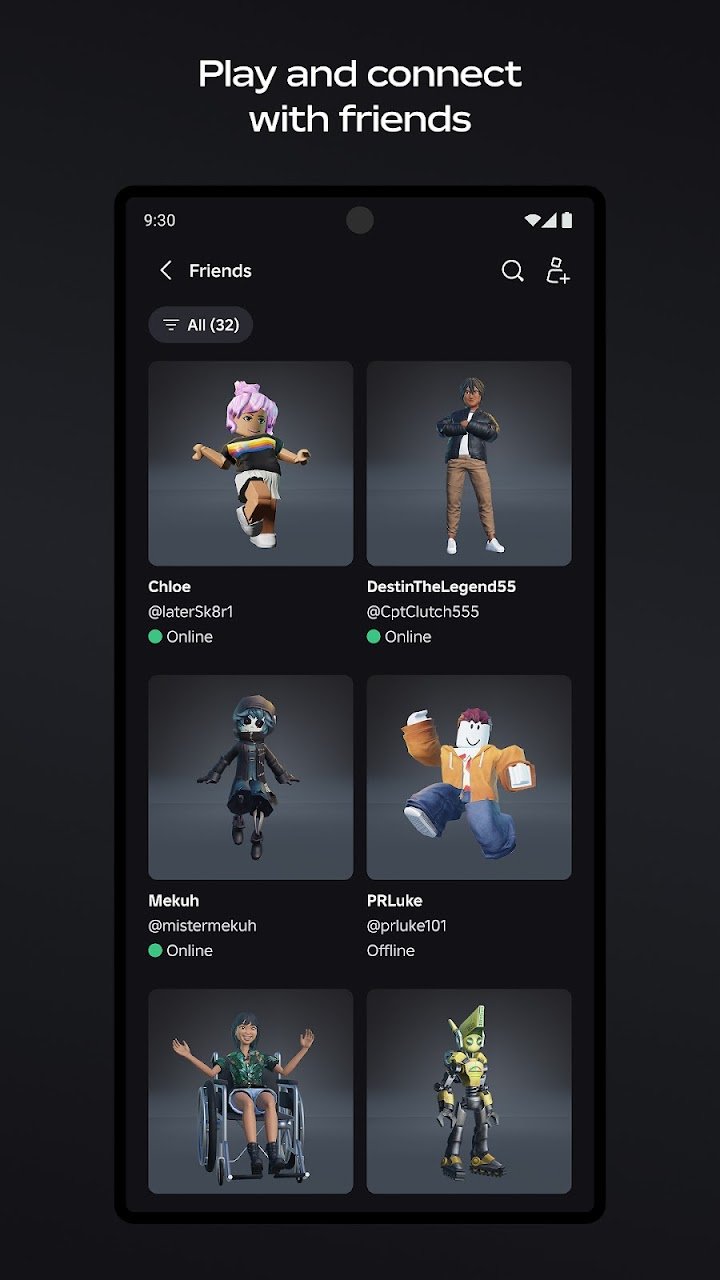
You can join a Party and jump into competitive or social experiences together. Parties are the intended way to play with friends rather than hoping to end up in the same server, and they are genuinely useful for families playing together across devices.
Voice Chat and Age Verification
Age-verified users can communicate in real-time via voice chat or text. Voice chat requires age verification, which is a deliberate safety measure rather than an inconvenience — it means unverified accounts, including those belonging to younger users, cannot access voice chat.
Text chat is subject to filtering and is age-appropriate in design, but it is still communication with other real people, including strangers. This is the part of the platform that parents most need to understand.
Roblox Studio: Creating and Publishing
Roblox Studio is the creation engine, available on Windows and Mac, and it is used to design high-fidelity games and virtual spaces. It is free, and it is the same tool professional studios use alongside indie teams and solo creators.
| Creator Path | What It Involves |
|---|---|
| Learning Studio | Building environments, scripting behaviour, testing experiences |
| Publishing | Making experiences available to the global player base |
| Monetising | Game passes, Marketplace items and Robux earnings |
| Community | Feedback, updates, and building an audience over time |
What makes Roblox unusual here is that the creation path is genuinely open. A teenager can learn Studio, publish an experience and have real players engage with it. That is a legitimate creative opportunity, and it is one of the strongest arguments for the platform as a whole.
Practical advice for young creators: start with a small, simple experience rather than a large ambitious one. A single well-made obby or a simple tycoon teaches more than an unfinished large project, and the first published experience is a learning exercise rather than a debut.
Safety, Privacy and Parental Controls
Roblox states that it has industry-leading safety, privacy and civility measures, including advanced content filtering and age-appropriate moderation, dedicated trust and safety teams working around the clock, and clear community guidelines promoting respectful interactions. It also provides specific account types and tools for younger users and for parents.
| Safety Feature | What It Does |
|---|---|
| Content filtering | Filters language and content in chats and some experiences |
| Age-appropriate moderation | Moderates experiences and accounts based on age |
| Age verification | Required for voice chat and for access to age-verified spaces |
| Roblox Kids | An account type with additional restrictions for younger users |
| Select Accounts | A controlled account setup for younger players |
| Privacy settings | Controls over who can message you, join you and see your activity |
| Community guidelines | Rules that accounts must follow, enforced through moderation |
| Reporting tools | In-app reporting for experiences, users and content |
What Parents Should Actually Configure
The tools are extensive, and the number itself is not the useful part. These are the settings and decisions that actually change a child's experience.
- Set the account's age accurately. Age determines what moderation and filters apply. An incorrect age undermines every other safety setting.
- Review the account type. Roblox Kids and Select Accounts apply additional restrictions appropriate for younger users.
- Decide on chat deliberately. Text chat is filtered, but it is still contact with strangers. Many parents disable or restrict chat for younger children.
- Do not verify age for voice chat unless you have decided it is appropriate. Voice chat is a significant step beyond filtered text.
- Decide whether a payment method is attached. An account with no stored payment method cannot spend real money on Robux.
- Check the experience list occasionally. The platform includes horror and combat experiences alongside pet games, and there is no platform-wide content rating.
- Use the Parent's Guide. Roblox publishes a dedicated parent resource, and it is more current than any third-party summary.
- Agree expectations with the child. Filters and settings reduce risk; conversation about what to do if something feels wrong is more effective than any single toggle.
The honest assessment: Roblox's safety tools are more substantial than most platforms of its size, and they are genuinely improving. They are also not a substitute for supervision. The platform hosts content made by millions of creators, and no filter catches everything. The most effective safety measure remains an involved adult who knows what experiences the child is playing.
App Permissions Explained
Roblox lists optional app permissions, and understanding them prevents unnecessary concern or unnecessary access.
| Permission | What It Is For | Optional? |
|---|---|---|
| Notifications | Service and experience notifications | Yes |
| Microphone | In-game voice chat | Yes |
| Camera | Animating your avatar with your movement | Yes |
| Contacts | Contact importer features to find people you may know | Yes |
The app states that you can use it regardless of whether you consent to optional permissions, and that certain features may not work properly if you refuse them. In practice, this means the app functions without camera or contacts access — declining those does not stop you playing.
Practical advice: decline contacts access unless you specifically want the friend-finding features. Declining camera access only affects avatar animation. Microphone access is only relevant if you intend to use voice chat.
Connection and Performance
Roblox requires a network connection, and it works best over Wi-Fi. This is not a technicality — the platform streams experiences and requires constant communication with servers, so a weak connection produces lag, disconnections and unresponsive controls.
| Consideration | Advice |
|---|---|
| Wi-Fi vs mobile data | Wi-Fi is strongly preferable; experiences can use significant data |
| Device performance | High-fidelity experiences require a capable device; older phones may struggle |
| Loading times | Large experiences take longer to load, especially on slower connections |
| Data usage | Extended sessions can consume substantial mobile data |
Practical advice for mobile players: if experiences feel laggy or controls feel unresponsive, the device rather than the game is often the limiting factor. Lowering graphics settings within individual experiences, where the option exists, helps.
Tips for Getting More Out of Roblox
- Search by genre rather than browsing trending. You will find better experiences for your taste than the front page offers.
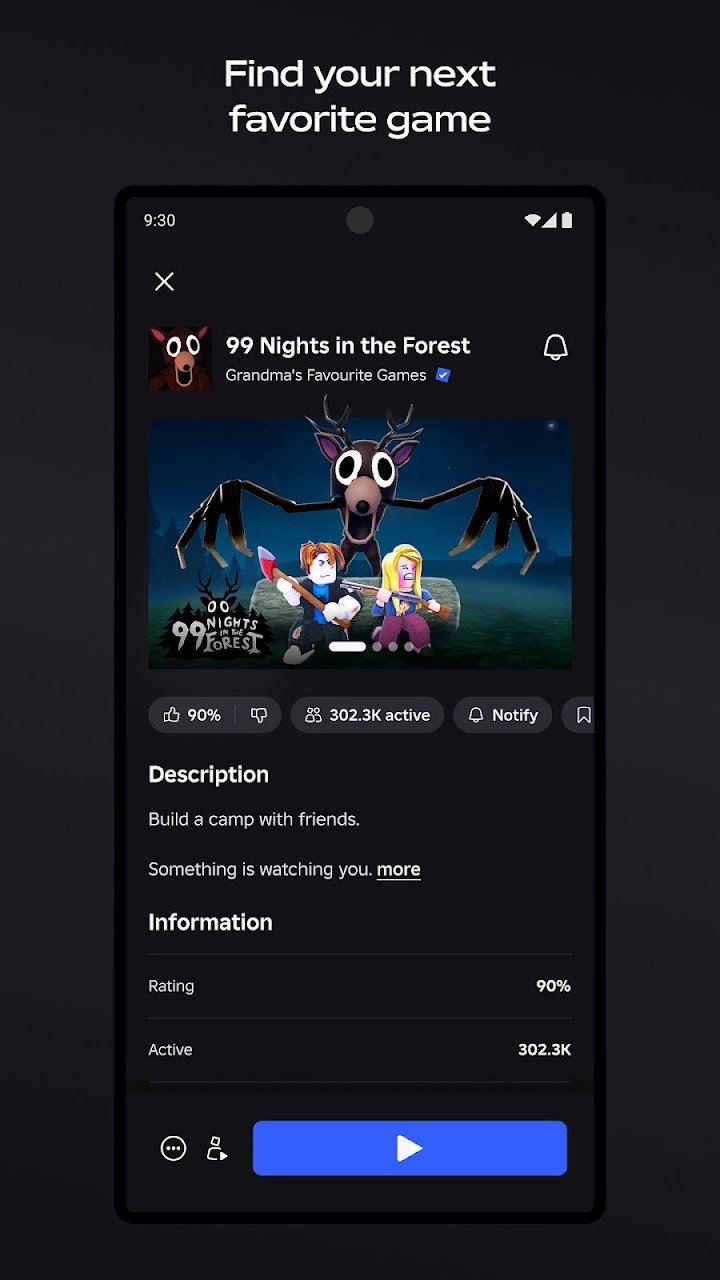
- Read the experience description before playing. It usually indicates whether the game is competitive, social or horror-focused.
- Use Parties to play with friends. It is far more reliable than hoping to land in the same server.
- Try a few different genres. Roblox's strength is variety, and most people find their niche outside the top trending list.
- Customise your avatar early. Many free items are available and it makes the platform feel like yours.
- Start Studio with something small. A simple obby or tycoon teaches more than an unfinished large project.
- Do not attach a payment method unless you intend to spend. It prevents accidental Marketplace purchases.
- Decline contacts and camera permissions unless you specifically want those features.
- Use Wi-Fi. Mobile data usage can be substantial during long sessions.
- For parents: set the age accurately and review chat settings. Every other safety feature depends on that first step.
- Read the Parent's Guide if you are setting up an account for a child. It is the most current source of information.
Who Should Use Roblox?
Roblox is a platform rather than a game, so the question is less about taste and more about what you or your child want from it.
Roblox is a strong fit if you:
- Enjoy variety and want many different genres in one app
- Like playing games socially with friends across devices
- Are interested in creating and publishing your own experiences
- Want a free platform with optional spending rather than a required subscription
- Play with family members on different devices
It may not be the right choice if you:
- Want consistent quality and a single polished game
- Are uncomfortable with user-generated content of varying quality
- Need guaranteed age-appropriate content without configuring settings
- Want a platform with no in-app purchases or currency
- Have a device or connection that struggles with streaming 3D experiences
For parents specifically: Roblox is used by a very large number of children and is broadly designed to be usable by them. The platform's quality varies, its content spans genres from pet collection to horror, and it involves contact with strangers through filtered chat. The tools to manage all of that exist and are worth configuring. The most useful posture is engaged supervision rather than either unrestricted access or a blanket ban.
Frequently Asked Questions
What is Roblox?
Roblox is a platform that hosts thousands of user-created 3D games, called experiences. It is not a single game — it is an ecosystem of games made by the community, played across mobile, tablet, PC, console and VR.
Is Roblox free?
Yes. Roblox is free to play, and many experiences are free. The platform includes optional purchases through its currency, Robux, which is used for avatar items, game passes and subscriptions.
What is Robux?
Robux is Roblox's in-game currency. It is used to buy avatar items in the Marketplace, game passes inside individual experiences, private servers and subscriptions. It can be purchased, earned through a subscription, or earned by creating content.
What is Roblox Plus?
Roblox Plus is an optional subscription. It adds benefits such as up to 20% discounts on in-game items, fee-free Robux transfers, a profile badge, free unlimited private servers, and the ability to publish, trade and resell custom avatar creations. It is not required to use the platform.
Is Roblox one game or many games?
Many games. Each experience is a separate game with its own rules, quality and audience. This is why the platform can feel inconsistent — the quality depends entirely on which experience you are playing.
What are the most popular games on Roblox?
Popular experiences listed by the platform include Dress to Impress, RIVALS, Steal a Brainrot, Brookhaven RP and Adopt Me!. The most popular games change over time as new content is added daily.
Can I play Roblox offline?
No. Roblox requires a network connection, and it works best over Wi-Fi. The platform streams experiences and requires constant communication with servers.
Can I play with friends on different devices?
Yes. Roblox supports cross-platform multiplayer across mobile, tablet, PC, console and VR. You can also join a Party to jump into experiences together.
What is voice chat and do I need to verify my age?
Voice chat allows real-time communication and is available to age-verified users only. Text chat is also available and is subject to filtering. Voice chat requires verification as a deliberate safety measure.
What is Roblox Studio?
Roblox Studio is the free creation engine available on Windows and Mac. It is used to design, build and publish experiences, and it is the same tool used by professional studios, indie teams and solo creators.
Can my child make money on Roblox?
Creators can earn Robux from experiences and Marketplace items. The specifics involve platform requirements and payout processes, and it is worth reading Roblox's official creator documentation rather than relying on summaries.
What is Roblox Kids?
Roblox Kids is an account type designed for younger users with additional restrictions. Select Accounts provide a controlled setup for younger players. Both are part of the platform's safety and parental control tools.
How do I make Roblox safer for my child?
Set the account age accurately, review the account type (Roblox Kids or Select Accounts), decide deliberately about chat access, avoid verifying age for voice chat unless appropriate, decide whether a payment method is attached, review which experiences are being played, and read Roblox's Parent's Guide. Supervision remains more effective than any single setting.
What app permissions does Roblox request?
Optional permissions include notifications, microphone (for voice chat), camera (for avatar animation) and contacts (for friend-finding features). You can use the app without consenting to optional permissions, though some features may not work if you decline.
Is Roblox suitable for young children?
Roblox is used by many children and includes account types and safety tools designed for younger users. However, the platform hosts content across many genres, including horror and combat experiences, and includes chat with strangers. Age-appropriate configuration and supervision are important.
Why is Roblox laggy on my phone?
Roblox streams 3D experiences and requires a stable connection. High-fidelity experiences require a capable device, and older phones may struggle. Wi-Fi is strongly preferable to mobile data, and lowering in-experience graphics settings helps where the option exists.
Can I share my creations?
Yes. Experiences published through Roblox Studio are available to the global player base, and Marketplace items can be sold to other users. Roblox Plus adds the ability to publish, trade and resell custom avatar creations.
Download and Availability
Roblox is a third-party platform developed by Roblox Corporation and distributed through the official app stores and the Roblox website. Feature availability, subscription options and safety tools may vary by region and account type.
Before installing, check the official listings for the latest version and device requirements. Parents should review the Parent's Guide before setting up an account for a child.
Official Resources:
- Official Website: Roblox Official Website
- Create Your Own Games: Roblox Studio / Develop
- Support: Roblox Help Center
- Contact: Roblox Corporation Contact
- Privacy Policy: Roblox Privacy Policy
- Parent's Guide: Roblox Parent's Guide
- Terms of Use: Roblox Terms of Use
Final Thoughts
Roblox is best understood as a place rather than a product. It contains thousands of games of wildly different quality and genre, built by professional studios and by teenagers learning to code. That is both its greatest strength and the reason it is difficult to summarise — the platform is only as good as the specific experiences you choose to play.
For players, the practical advice is simple: search by genre rather than relying on trending, use Parties to play with friends, and try a range of experiences rather than settling on the first popular one you encounter. The creation tools are worth exploring too — Roblox Studio is free, and it is genuinely the same tool professionals use.
For parents, the practical advice is equally simple, and more important. Set the account age accurately, review the account type, decide deliberately about chat and voice chat, decide whether a payment method is attached, and check in on which experiences are being played. The safety tools are substantial and worth using, but they work best alongside an adult who knows what the child is doing rather than instead of one.
Voyanta is an independent app discovery platform and is not affiliated with or endorsed by Roblox Corporation. All Roblox trademarks and related intellectual property belong to their respective owners.