
- Developer
- Installs
- 5B+
- Downloads
- 0
- Views
- 1
- Updated
- Nov 6, 2026
Screenshots
About Instagram
Instagram Complete Guide: Feed, Reels, Stories, Close Friends, Explore and Privacy Settings Explained
Instagram is built on a simple idea: little moments lead to big friendships. You connect with friends, find other fans, see what people around you are up to, and post everything from your daily moments to life's highlights. From Meta, it is one of the most widely used photo and video apps in the world.
What makes Instagram difficult to explain is that it is several products wearing one icon. There is a feed of permanent posts, a Stories system that disappears after 24 hours, Notes that vanish just as quickly, Close Friends for a smaller audience, Reels for short entertaining video, Explore for discovering new accounts, a shopping layer for brands and small businesses, and a set of privacy controls that most users never open.
This guide explains what each part of the app actually does, how the different sharing formats compare, how personalisation and Explore work, what Close Friends really changes, how shopping fits in, which privacy and safety settings are worth configuring on day one, and which features are region-restricted. It is written for new users and for people who have been posting for years without ever touching the settings menu.
Instagram at a Glance
| Feature | Details |
|---|---|
| Type | Photo and video social app with messaging, discovery and shopping |
| Developer | Meta (Instagram) |
| Cost | Free to use |
| Core areas | Feed, Stories, Reels, Explore, Direct messages, Profile |
| Ephemeral formats | Stories and Notes, which disappear after 24 hours |
| Smaller-audience sharing | Close Friends lists for Stories and group chats |
| Creation tools | Templates, music, stickers, filters and editing tools |
| Shopping | Product discovery from brands and small businesses (region-dependent) |
| Regional availability | Some features are not available in every country or region |
The note about regional availability is not a formality. Instagram ships features unevenly across countries, and shopping in particular varies significantly. If something described here does not appear in your app, the most likely explanation is your region rather than a bug or a missing setting.
The Four Ways to Share on Instagram
Instagram's main source of confusion is that it has several different sharing formats, each with a different audience and a different lifespan. Understanding the difference removes most of the guesswork.
| Format | Audience | Lifespan | Best For |
|---|---|---|---|
| Feed post | Your followers (or public) | Permanent until deleted | Highlights, memories from events or trips, curated photos |
| Stories | Followers, or Close Friends only | 24 hours | Daily moments, behind the scenes, quick updates |
| Notes | A selected audience or followers | 24 hours | Short text updates, status-style thoughts |
| Reels | Followers and the wider Explore/Reels audience | Persistent, discoverable | Short entertaining video, reaching new people |
The practical distinction: the feed is your curated archive, Stories are your daily presence, Notes are lightweight text, and Reels are your route to people who do not follow you yet. Most accounts are strongest when they use all four for different purposes rather than treating them as interchangeable.
Feed Posts
Feed posts are the permanent part of Instagram. They are where you share memories from recent events or trips, and they form the visual record of your profile. Because they persist, they are the posts most likely to be seen by someone visiting your profile for the first time.
Practical advice: treat your feed as a portfolio rather than a diary. A profile grid of 30 well-chosen photos communicates more than 300 unfiltered ones. Archiving rather than deleting is useful here — it removes a post from the grid without losing it permanently.
Stories
Stories disappear after 24 hours and are designed for keeping up with friends on the fly. They support photos, video, text, stickers, music, polls, questions and links, and they are the most conversational part of the app.
The detail most people miss: Stories have their own audience setting, separate from your account's overall privacy. You can post a Story to Close Friends only while your feed remains visible to all followers. This is the single most useful privacy feature in the app and it is easy to overlook.
Notes
Notes are short text updates that disappear after 24 hours. They appear at the top of the inbox and on profiles, and they function as a lightweight status update rather than a post. They are useful for short thoughts, announcements, or simply staying present without publishing an image.
Practical use: Notes are low-pressure and low-effort, which makes them a good option when you want to share something without committing to a post or a Story. They are also a useful signal that an account is active.
Reels
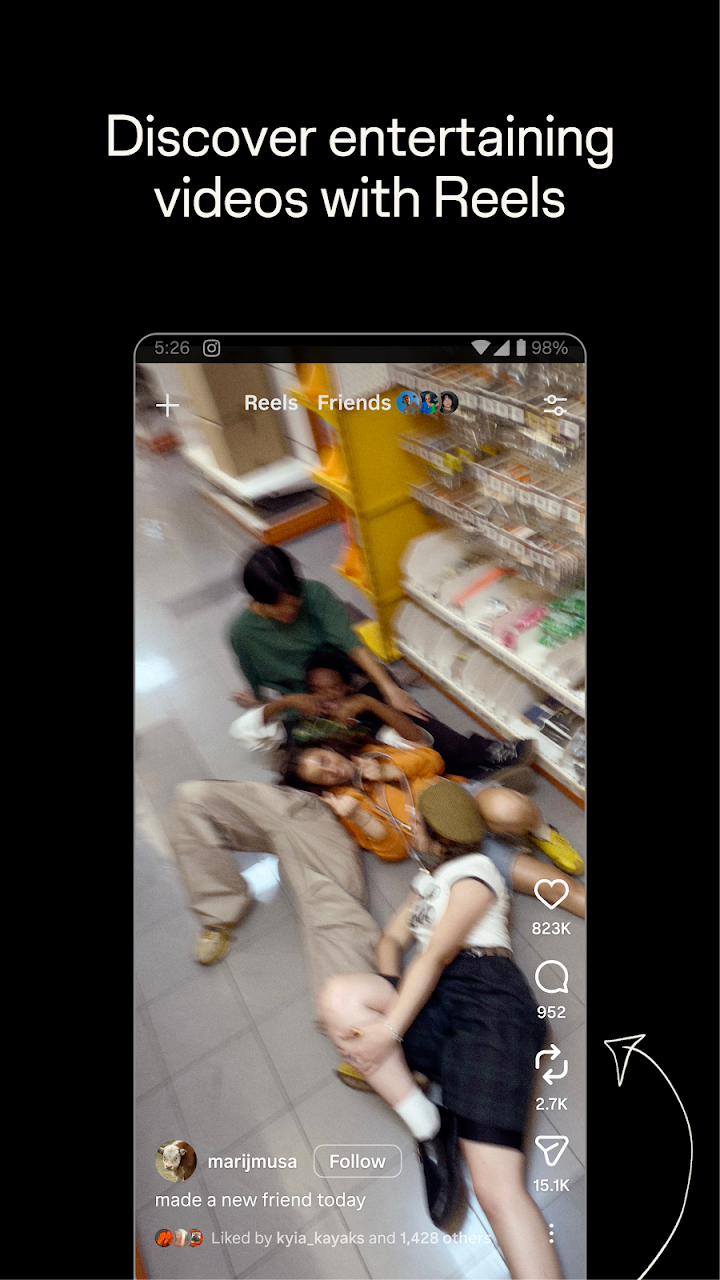
Reels let you turn your life into a movie and discover short, entertaining videos. They are the format most likely to reach people who do not follow you, because they are distributed through recommendation rather than purely through your follower list.
What tends to work in Reels:
- A strong first second — the opening frame decides whether people keep watching.
- Clear concept — a single idea is easier to follow than a montage of unrelated clips.
- Trending audio — sound-led discovery is a real part of how Reels are surfaced.
- Captions and text — many people watch with sound off.
- Consistent format — repeated structures build recognition and returning viewers.
Close Friends: A Smaller, Safer Audience
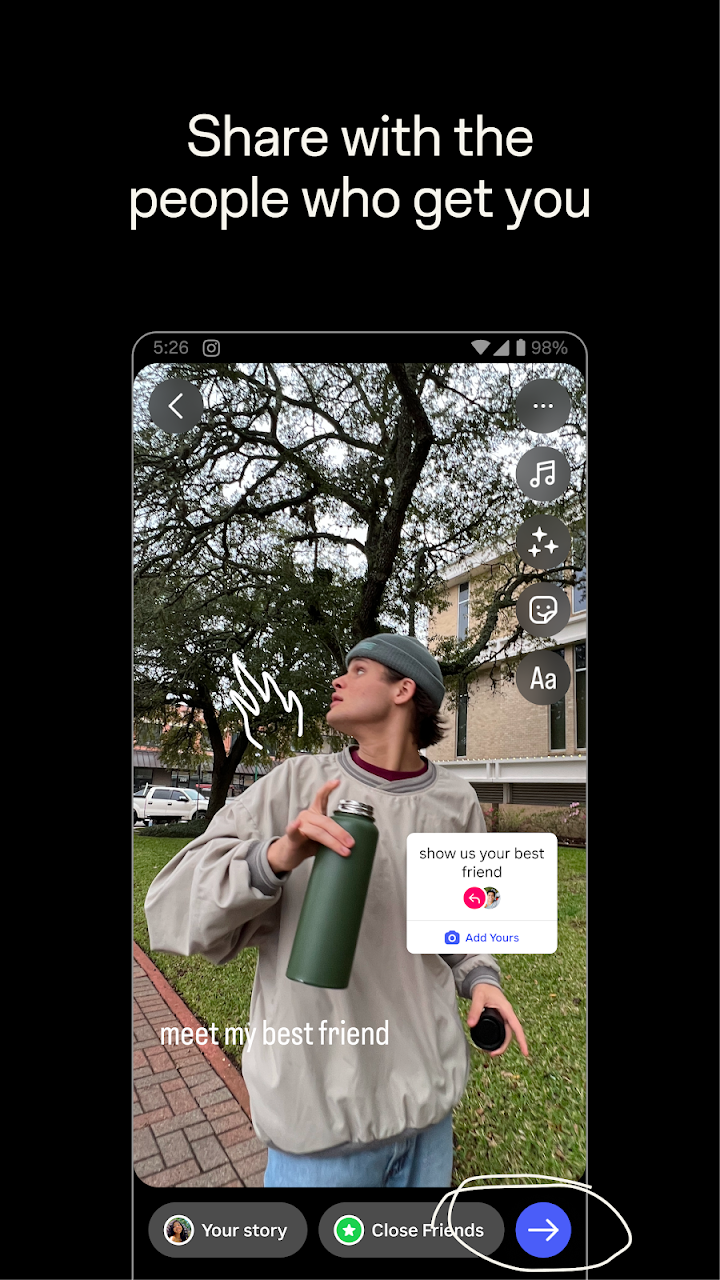
Close Friends lets you start group chats and share unfiltered moments with a selected list of people, rather than your entire follower base. It is the feature that most improves the day-to-day experience of using Instagram, and it is the one most people never set up.
| What Close Friends Changes | What It Does Not Change |
|---|---|
| Stories can be limited to a small list | Your feed posts remain visible to followers |
| Group chats can be created with the same list | It does not hide your profile or account |
| The Story ring appears green to those on the list | People outside the list cannot see those Stories |
| You can add or remove people at any time | Removal does not notify the person |
How to use it well: keep the list genuinely small — 10 to 30 people is the intended range. A Close Friends list with 200 names is just a second follower list, and it loses the point of the feature. Removing someone from the list is silent, which makes it far less socially awkward than unfollowing or blocking.
Explore and Personalisation
Explore is where you get inspired by photos and videos from new accounts. It is a discovery surface, not a chronological feed, and it is shaped by what you already engage with.
| Signal | What It Tells Instagram |
|---|---|
| Likes | Explicit positive interest in a topic or creator |
| Saves | Strong intent to return — useful content |
| Shares | Very strong signal, especially to close friends |
| Watch time on Reels | Whether the content held your attention |
| Accounts followed | Sustained interest in a niche |
| Quick scrolling past | Negative signal — fewer posts like that |
The practical consequence: Explore is trainable. If your Explore page is full of content you do not want, the fix is behavioural rather than a settings toggle — stop engaging with it, use "Not interested" where offered, save and follow the accounts you actually want to see more of, and the surface adapts over a short period.
Following Creators and Finding New Accounts
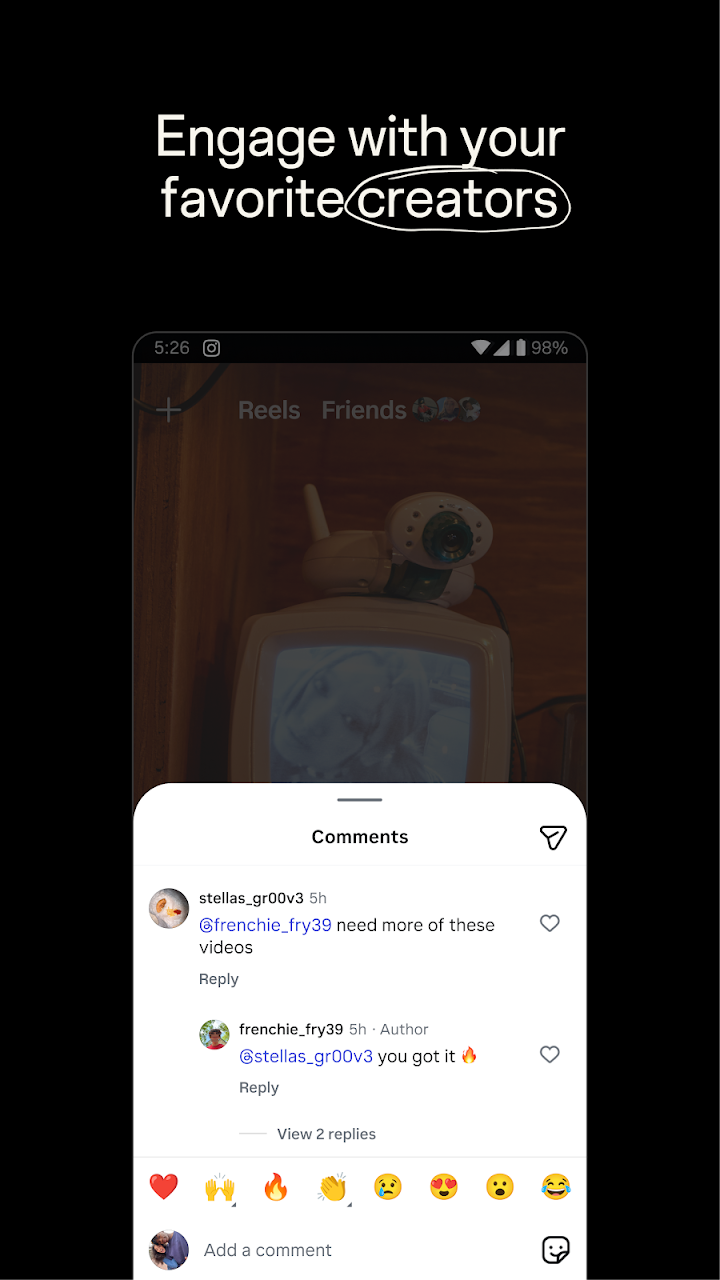
Following is the most direct way to shape your experience. Videos from creators you follow appear in the feed, and the accounts you engage with consistently influence what Explore suggests.
Practical tips:
- Follow selectively. A follow list of hundreds of accounts makes the feed a second Explore page.
- Mute instead of unfollowing if you want to reduce someone's presence without the social implication.
- Use the Favourites feature where available to prioritise specific accounts in your feed.
- Review your following list periodically. Accounts you followed years ago often no longer match your interests.
Creating Posts: Templates, Music, Stickers and Filters
Instagram offers a set of editing tools — exclusive templates, music, stickers and filters — that let you customise posts without leaving the app. These are genuinely capable for short-form social content, and the learning curve is short.
| Tool | What It Does | Best For |
|---|---|---|
| Templates | Pre-designed layouts for Reels and posts | Fast creation when you do not want to design from scratch |
| Music | Add licensed audio to posts, Stories and Reels | Setting tone and increasing discoverability on Reels |
| Stickers | Interactive elements like polls, questions, links and emoji | Stories engagement and conversation |
| Filters | Visual effects and colour treatments | Consistent aesthetic across your profile |
| Text tools | Captions and on-screen text | Accessibility and silent viewing |
Two practical notes on music: first, the available music library differs between personal and business accounts because of licensing, so a track you can use for a personal Reel may not be available for a brand account. Second, the music library varies by region, so availability is not universal.
Shopping: Brands and Small Businesses
Instagram includes a shopping layer where you can discover brands and small businesses and shop products relevant to your personal style. Products can be tagged in posts and Reels, and there is a dedicated shopping surface within the app.
| Feature | What It Does |
|---|---|
| Product tags | Links to products attached to posts and Reels |
| Shops | Dedicated storefronts for brands and businesses |
| Shopping tabs | Browsing areas for product discovery |
| Checkout | Purchase options within the app where supported |
Practical advice for buyers:
- Check the business's history — how long the account has existed, what reviews say, and whether they sell elsewhere.
- Read reviews with photos where available; they are harder to fake than star ratings alone.
- Check the return policy before purchasing, especially for clothing.
- Stay within the platform's checkout where supported, rather than moving to a direct bank transfer.
- Be aware that some recommendations are paid partnerships — these are disclosed on the post, and it is worth looking for the label.
Regional note: shopping features are not available in every country. If the shopping tab is missing, that is almost always a regional limitation.
Direct Messages and Group Chats
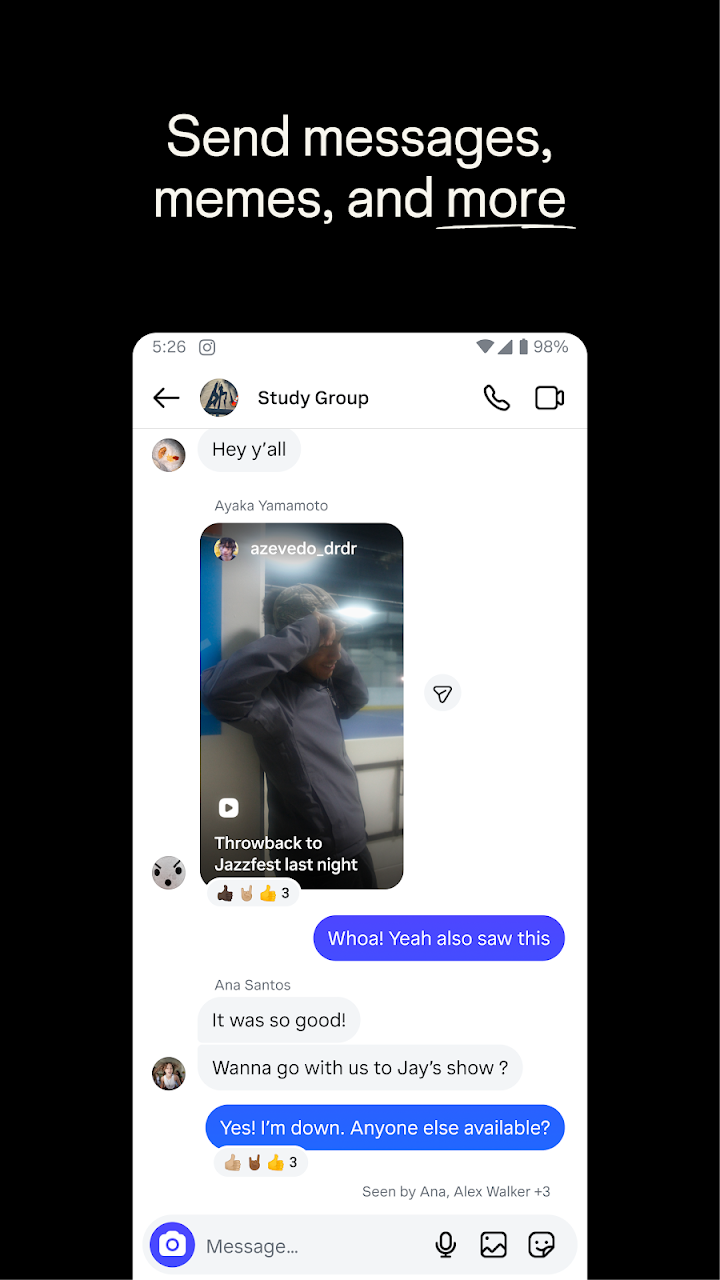
Instagram's messaging supports one-to-one chats and group chats, including Close Friends groups. Messages can include text, photos, voice notes, Reels, posts, disappearing media and reactions.
| Feature | What It Does |
|---|---|
| Direct messages | Private text and media conversations |
| Group chats | Conversations with multiple people, including Close Friends groups |
| Vanish mode | Messages disappear after viewing where available |
| Message requests | Messages from people you do not follow are kept separate |
| Restrict and block | Limit or remove a person's ability to interact with you |
The message requests folder is worth checking occasionally. Messages from people you do not follow are kept separate from your main inbox, and this is where most unwanted contact and scams begin. Do not respond to requests from accounts you do not recognise, and report anything that looks like harassment or fraud.
Privacy and Safety Settings Worth Changing
Instagram offers a substantial set of privacy and safety controls, but a small number of them account for most of the difference in day-to-day experience.
| Setting | What It Controls | Recommended For |
|---|---|---|
| Private account | Only approved followers can see your posts and Stories | Anyone who wants a limited audience |
| Story audience | Who sees each Story — separate from account privacy | Set explicitly, ideally to Close Friends |
| Who can message you | Restricts DMs to followers or no one | Friends or followers only |
| Comment controls | Who can comment, and keyword filters | Limit if receiving unwanted comments |
| Hidden words | Automatically hides comments and DMs containing chosen words | Most users — it is a strong default |
| Activity status | Whether others see when you were last active | Turn off if privacy matters |
| Story sharing and resharing | Whether others can share your posts or Stories | Restrict if you want to limit re-sharing |
| Two-factor authentication | Account security beyond a password | Strongly recommended for everyone |
Turn on hidden words. It automatically filters out comments and messages containing offensive or spammy terms, and it requires almost no ongoing effort. It is one of the highest-value settings in the app.
Enable two-factor authentication. Account takeover is the most common way people lose access to an account and years of photos. It is a five-minute setup that prevents a genuinely upsetting problem.
Teen Accounts and Family Tools
Instagram applies stricter defaults to accounts belonging to younger users, and Meta provides family tools that allow guardians to review and manage settings. These include controls over who can message a teen, what content they see, and how much time they spend in the app. The specifics vary by region.
Honest assessment: no filter or setting makes social media risk-free. The tools reduce exposure and create visibility, but regular conversation with a younger user is more effective than any configuration.
Regional Availability
Instagram explicitly notes that some features may not be available in your country or region. In practice this most often affects:
| Feature | Typical Regional Variation |
|---|---|
| Shopping and in-app checkout | Available in a limited set of countries |
| Music library | Licensing varies by country |
| Teen default settings | Stricter defaults in some regions |
| Monetisation and creator tools | Country-dependent eligibility |
| Notes and some messaging features | Rolled out unevenly across regions |
If a feature does not appear in your app, checking regional availability should be the first step rather than reinstalling.
Tips for Getting More Out of Instagram
- Set up a Close Friends list. It is the single best change you can make to how the app feels day to day.
- Check Story audience before posting. The previous setting can persist, and Stories default differently from feed posts.
- Train Explore deliberately. Save and follow what you want more of; avoid engaging with content you dislike.
- Turn on hidden words. It filters offensive comments and DMs with no ongoing effort.
- Enable two-factor authentication. Do it before anything else on this list.
- Archive rather than delete. It removes a post from your grid without losing it permanently.
- Mute rather than unfollow when you want less of someone without the social friction.
- Keep your feed curated. A grid of 30 strong posts communicates more than 300 mixed ones.
- Use text and captions in Reels. Many viewers watch with sound off.
- Check whether a track is licensed for business use before posting from a brand account.
- Review your following list twice a year. Interests change, and the feed should reflect the current ones.
Who Should Use Instagram?
Instagram suits some habits much better than others, and it is worth being honest about which group you fall into.
Instagram is a strong fit if you:
- Enjoy sharing photos and short videos with friends
- Want a visual record of events, trips and everyday moments
- Follow creators, artists and brands for inspiration
- Like short-form video discovery through Reels
- Use it as a portfolio or creative outlet
It may not be the right choice if you:
- Prefer text-based or long-form content
- Dislike algorithmic feeds and endless discovery surfaces
- Are uncomfortable with public-facing social profiles
- Want a purely private messaging app
- Find the pressure to curate a feed stressful rather than enjoyable
For most people, the sensible approach is to use the app deliberately: post what you actually want to remember, keep the feed curated rather than constant, use Close Friends for the unfiltered moments, and configure the privacy settings before the account has an audience.
Frequently Asked Questions
What is Instagram?
Instagram is a photo and video social app from Meta. It combines a permanent feed of posts, Stories and Notes that disappear after 24 hours, short-form Reels, an Explore page for discovering new accounts, direct messaging, and shopping features from brands and small businesses.
Is Instagram free?
Yes. The app is free to use. Shopping involves optional spending, but there is no required subscription for the core features.
What is the difference between a post, a Story and a Note?
A feed post is permanent until deleted and visible to your followers. A Story disappears after 24 hours and can be limited to Close Friends. A Note is a short text update that also disappears after 24 hours and works as a lightweight status update.
What are Close Friends?
Close Friends is a list you create to share Stories and group chats with a smaller, selected group of people. Stories shared with Close Friends show a green ring and are not visible to the rest of your followers. You can add or remove people at any time without notifying them.
Can I have a private account and still post Stories to everyone?
Story audience and account privacy are separate settings. A private account limits who can see your posts and Stories to approved followers, but within that you can still choose whether a specific Story goes to all followers or only Close Friends.
How does Explore decide what to show me?
Explore is shaped by your behaviour — likes, saves, shares, watch time on Reels, and the accounts you follow. It adapts to what you engage with, which means you can train it deliberately by engaging with content you want more of and avoiding content you do not.
Why do I see Reels from people I don't follow?
Reels are distributed through recommendation as well as through your followers. This is intentional — it is how the format reaches new audiences. Reels from accounts you do not follow appear because the system predicts they match your interests.
How do I hide a post without deleting it?
Archive it. Archiving removes a post from your profile grid and makes it private, but keeps it available to restore later from your archive.
Does Instagram have a shopping feature?
Yes, where available. Instagram includes product tags on posts and Reels, Shops for brands and small businesses, and in-app checkout in supported regions. Availability varies significantly by country.
Can I use any music in my posts?
Instagram offers a licensed music library, but it differs between personal and business accounts, and availability varies by region. Tracks available for personal use are not always licensed for promotional or business content.
Who can message me on Instagram?
Messaging controls let you restrict DMs to people you follow or to followers only. Messages from people you do not follow are kept in a separate message requests folder, which is a common route for unwanted contact and scams.
Is Instagram suitable for teenagers?
Instagram requires users to meet a minimum age (13 in most regions) and applies stricter defaults to accounts belonging to younger users. Family tools let guardians review and manage settings. These tools reduce risk but do not eliminate it, and regular conversation is more effective than settings alone.
What are hidden words?
Hidden words is a setting that automatically filters out comments and messages containing offensive or spammy terms. It requires almost no ongoing effort and is one of the most useful safety features in the app.
Why can't I see a feature mentioned here?
Instagram states that some features may not be available in your country or region. Shopping, some messaging features and certain creator tools are rolled out unevenly, so regional availability is usually the explanation.
How do I stop someone from seeing my Stories?
You can hide your Story from specific people, restrict them, or use Close Friends so only a selected list sees your Stories. Restricting limits what they can see and how they can interact with you without blocking them entirely.
Can I delete or deactivate my account?
Yes. Both options are available in settings. Deactivation hides your profile temporarily while keeping your data; deletion permanently removes your account, subject to a short grace period.
Is Instagram the same as Facebook?
Both are owned by Meta, and they share some infrastructure and policies, but they are separate apps with different features and different audiences. Accounts can be linked but are not the same thing.
Download and Availability
Instagram is a third-party application developed by Meta and distributed through the official app stores. Feature availability, including shopping, music licensing and some safety tools, varies by country and region, and the app's terms and privacy practices are published by Meta.
Before relying on a specific feature, check the official listings and Meta's policy pages for current availability in your region.
Official Resources:
- Official Website: Instagram Official Website
- Terms and Policies: Instagram Terms and Policies
- Consumer Health Privacy Policy: Instagram Privacy Center — Health Policy
- Instagram Safety Center: Instagram Safety Center
- Meta Safety Center: Meta Safety Center
Final Thoughts
Instagram rewards deliberate use. The four sharing formats — feed, Stories, Notes and Reels — each serve a different purpose, and the accounts that feel coherent are usually the ones using them intentionally rather than posting the same thing everywhere.
The privacy model is the part worth taking seriously. Story audience, Close Friends, hidden words and two-factor authentication are not obscure settings; they are the difference between an account that feels comfortable and one that does not. They take about ten minutes to configure and they matter more than any individual feature.
Little moments do lead to big friendships, and the app is at its best when it is used for exactly that — sharing the unfiltered thing with the people who will actually appreciate it, rather than performing for an audience of everyone. Close Friends exists precisely so you can do both at once, and it is the feature most worth setting up first.
Voyanta is an independent app discovery platform and is not affiliated with or endorsed by Meta or Instagram. All Instagram and Meta trademarks and related intellectual property belong to their respective owners.